
- Top-tier battery – an easy two days
- Gorgeous design
- Excellent motion capture in bright light
- No AI-Key remapping
- Night mode is disappointing
- Generative AI used in the zoom
Motorola has been relatively quiet on the flagship phone front, instead channeling its efforts into the mid-range and foldable market. Two sides of the coin, but both targeting a more niche market than the Samsung S Series and iPhones of the world. It’s time honing budget friendly performance in the mid-tier space, and spit-shining the complex foldable form factor all come together in the Motorola Signature series.
What looks like your traditional smartphone benefits from Motorola's years of cost-cutting while minimising compromise. Still, it isn’t the most refined option on the market. In some ways the Motorola Signature can hold its own against the mainstays, in some it adds a bit more, but in others it can slip quite far behind. But in the range of pits and peaks, the Motorola Signature is making its way towards the summit.
Performance and battery
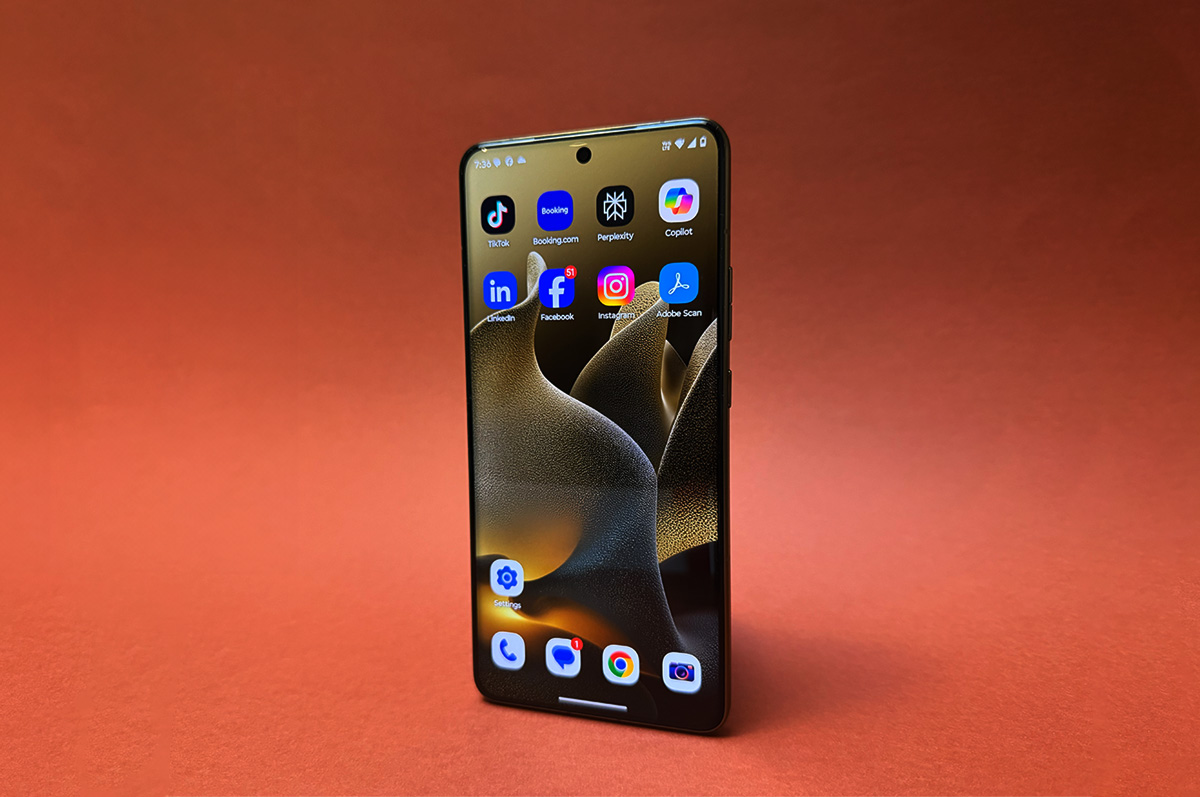
Starting at $1,499 the Motorola Signature sits squarely on the same axis as the entry level iPhone and Samsung S series phones, and the performance lives up to its competitors. Decked out with Snapdragon 8 Gen 5 processor and 12GB of RAM, the processing power is relatively similar to the S Series’ Exynos 2600 chipset. Downloads and uploads are about 50% and 40% slower, respectively, according to benchmarking by versus, but in day-to-day usage the difference is negligible.
I had no performance issues using the Motorola Signature for your usual phone fare, and if anything it was fast enough that I didn’t feel a shift between it and my iPhone 17 Pro. However the adaptive refresh rate did feel somewhat inconsistent and laggy at times. There are a range of adaptive options to pick from, and moving off the Smart and Balanced setting fixed that right up.
It shares a bunch of features with other flagships, like a beautiful display, seven years of security updates, eSIM, compatibility with a smart pen similar to the late and great Samsung Note series, and an AI Key button which is a copy of Apple’s Action Button on the iPhone 14 Pro and up. The AI Key is even located in the exact same spot, but unlike Apple’s version that is pre-programmed as a silence button, this one is pre-programmed to launch an AI agent.
Hitting the button initially prompts you to pick your agent of choice - ChatGPT, Perplexity, and Moto AI are preinstalled on the device - but as far as I could tell, there is no way to reprogram this button. For the non-AI inclined it is a wasted opportunity. However you can get a similar experience to the Action button by double tapping the back of the phone to initiate Quick Launch. Also preprogrammed to launch Moto AI, you can set up Quick Launch to perform a bunch of operations like pausing music, launching an app or returning to the previous one, silencing your phone, etc. It’s a novel feature, but one you might miss out on if you don’t know to look for it.
While we’re on the back of the phone, there is no qi2 magnetic set up on the Signature, which is a little disappointing. Considering how thin the form factor is - no doubt a nice byproduct of Motorola’s foldable engineering - it isn’t too surprising the brand is saving space for battery instead, but it has become standard on most flagships of this price so its absence is notable.
Saving that space for the battery definitely paid off though. With low usage it lasted over two days, while moderate usage got a solid seven hours of screen time out of the device. That is on par with the best, so no complaints here. Additionally fast charge with a Motorola TurboPower 68W Charger will get you 50% extra battery in 15 minutes, but with a normal 60W USB-C charger it is more like 20%. Both are more than decent results.
Design
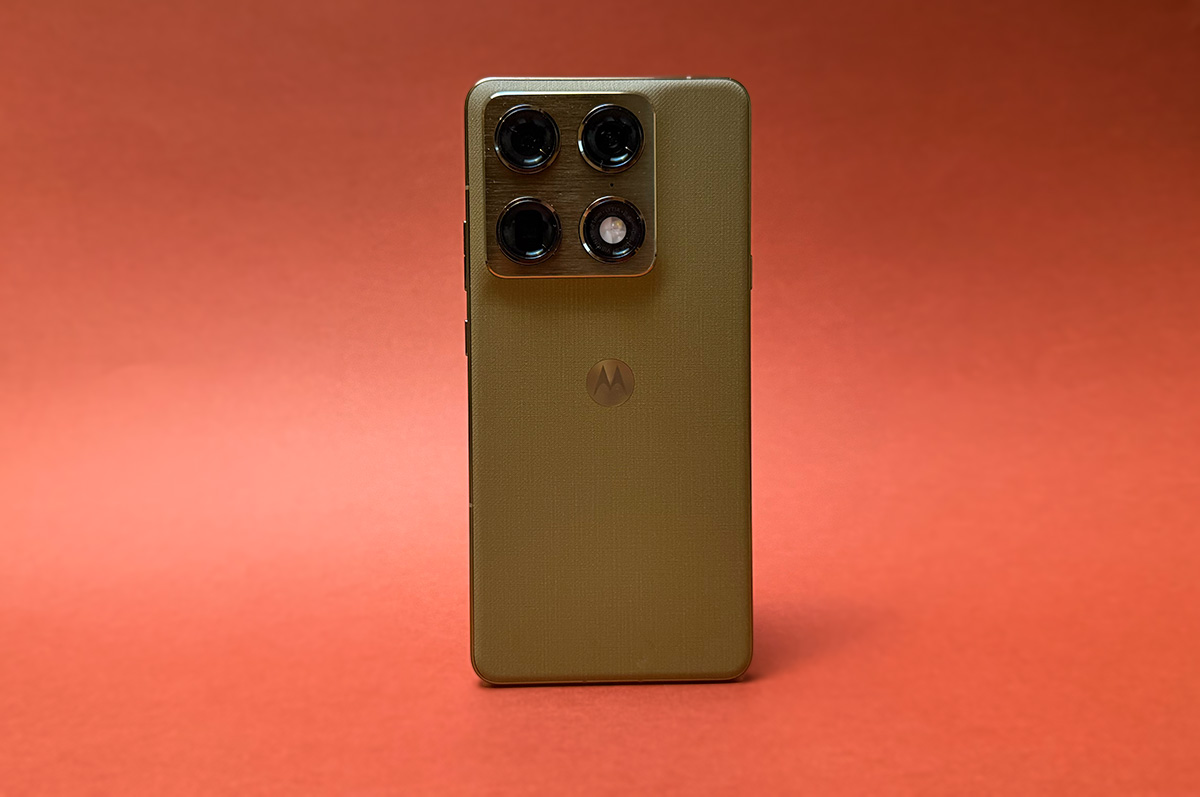
I’ve already said it multiple times, but Motorola is known for its design. Whether you’re thinking about the iconic original Razr from the early 2000s, or its modern reincarnation, Motorola phones are built to stand out. This design philosophy has continued into the Signature.
Coming in two Pantone colours, Carbon and Olive Green (which prompted me to call this the Martini Phone for longer than just my first draft), the device has a twill-like backing and a matching aluminium frame. It looks gorgeous. The matte/shiny contrast pops, and it practically begs you not to use a case. Thankfully, because the back isn’t glass, you don’t really need to.
On the front the edges of the screen are slightly curved into the frame, but it isn’t enough of a waterfall that it makes using the phone annoying. You can’t accidentally hold the screen while you’re holding the phone, but it does create the illusion that the already thin phone is even skinnier.
Motorola has clearly taken inspiration from the rest of the market with this thin phone design. From the iPhone Air, to the Samsung S25 Edge, every manufacturer is seemingly flexing their ability to make super thin phones as a byproduct of foldable development. Our data shows that consumers don’t really want thin phones though. In 2025 only 3% of clicks on the S25 series on WhistleOut went to the Galaxy S25 Edge, compared to around 50% to the S25 Ultra. Similarly the iPhone 17 accounted for around 45%, while the iPhone Air had around 3% again. It is, ironically, just a sliver of interest.
Still, the 6.99mm thickness is impressive, especially considering Motorola didn’t have to sacrifice battery, or camera performance to get there. For the most part.
Camera
Overall the camera performance from the Motorola Signature is comparable to other flagships, bar two exceptions. The most notable comes from the 50MP Periscope Telephoto lens equipped with 100x digital zoom. Once you pass 6x on this lens, the software starts using generative AI to compile the images. While this means they end up looking incredibly sharp for such a long zoom, you’re not actually getting a photo - you’re getting an approximation of an image.
As is the case with generative AI models, the results are a mixed bag. Sometimes they come out believable like this ultra-zoomed in look at a fountain, and other times they just make things up. The shot below is a 100x zoom of a pub coaster, which for some reason the program decided needed a hole in it.


It is most noticeable on images with text. After 10x zoom they start to look funky, but by the time you get to 50x it is obviously hallucinating.

Like it or not, generative AI photography has become par for the course. OPPO, Google, Xiaomi, and more recently Apple’s WWDC announcements have put it front and centre. I can’t fault Motorola for doing the same, but it does mean you can’t really believe what the zoom is showing you.
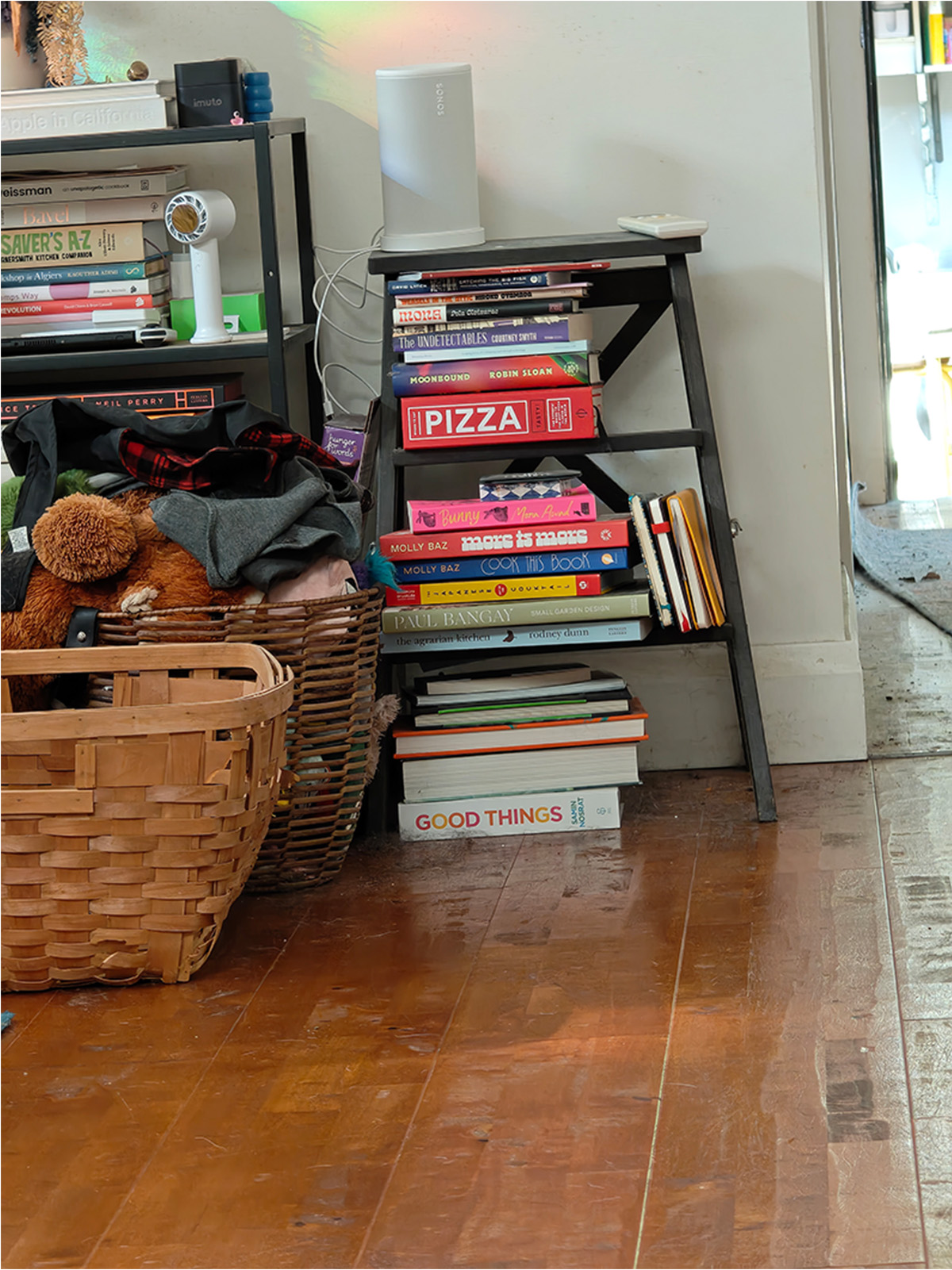
Putting that aside the other lenses punch just a little bit above their weight. In nice, outdoor lighting, the main 50MP lens shows beautiful detail, but Motorola’s stylistic choice to up the contrast means you can lose some of that detail if the shot is too bright. Inside where the lighting is less dramatic it is easier to see. Below you can even see the scratches my dog has left on the floor, and a lot of her fur too.


Back outside the cameras do incredibly well capturing motion. While my dog might look like she’s just lazing on the ground, in these pictures she is actively rolling around like a mad thing. You can see it in the video embedded at the end of this section. There is no motion blur at all, and you can see even the smallest details in her fur.


However, as the lights get lower so does the performance. In a fluorescently lit metro station, less violent motions start to create a blur. You can see an example of this below - just check out that foot, which was by all means casually making its way towards the escalator. By the time you get to night mode it has all but deteriorated.
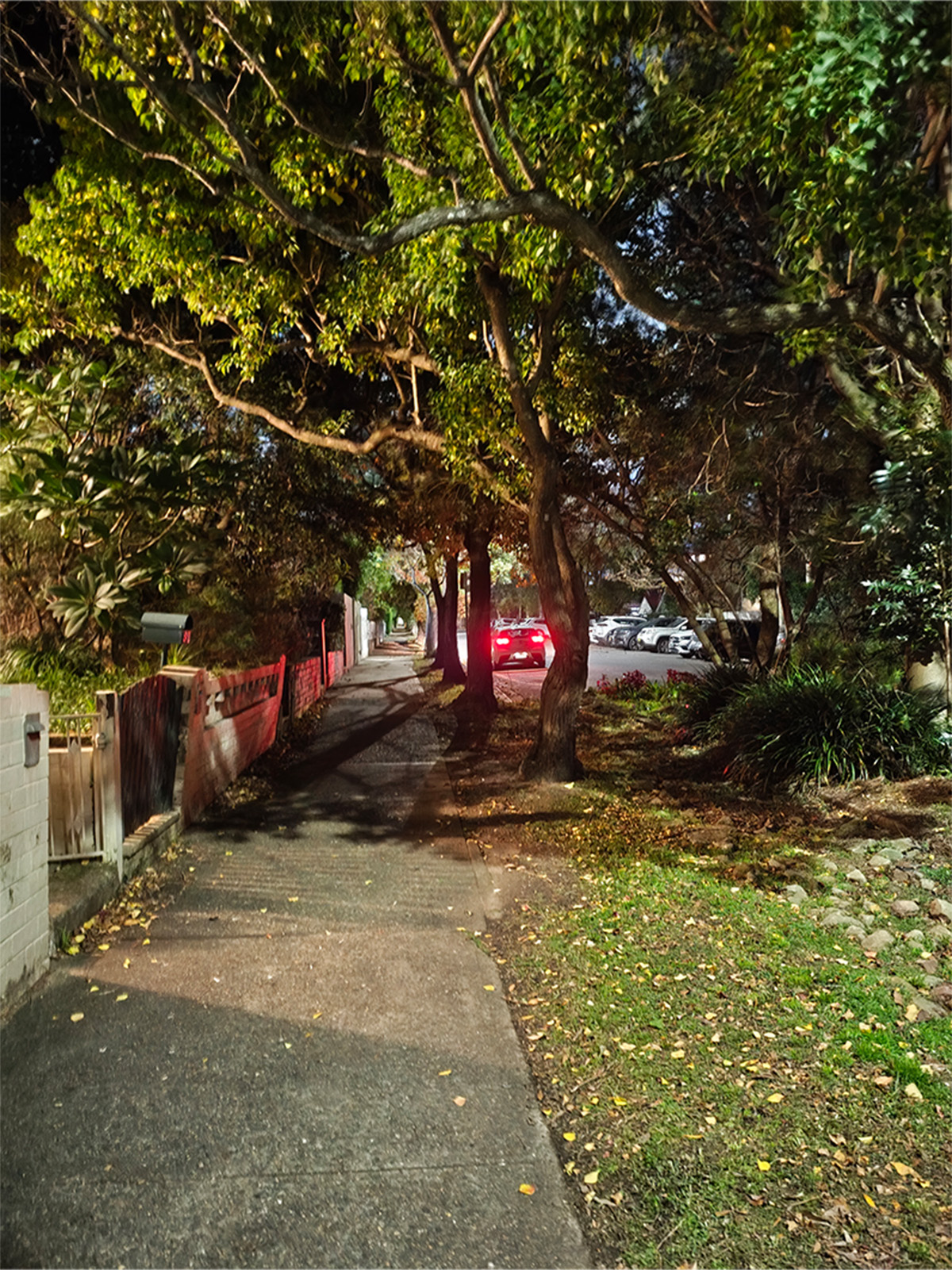

Using night mode it is difficult to get a clear shot at all. Any kind of motion of my hand, or within the frame ended up with a significant blur or haze across the image. Even when just doing a quick one second exposure. You’ll also notice a general haze around any light sources in the images.
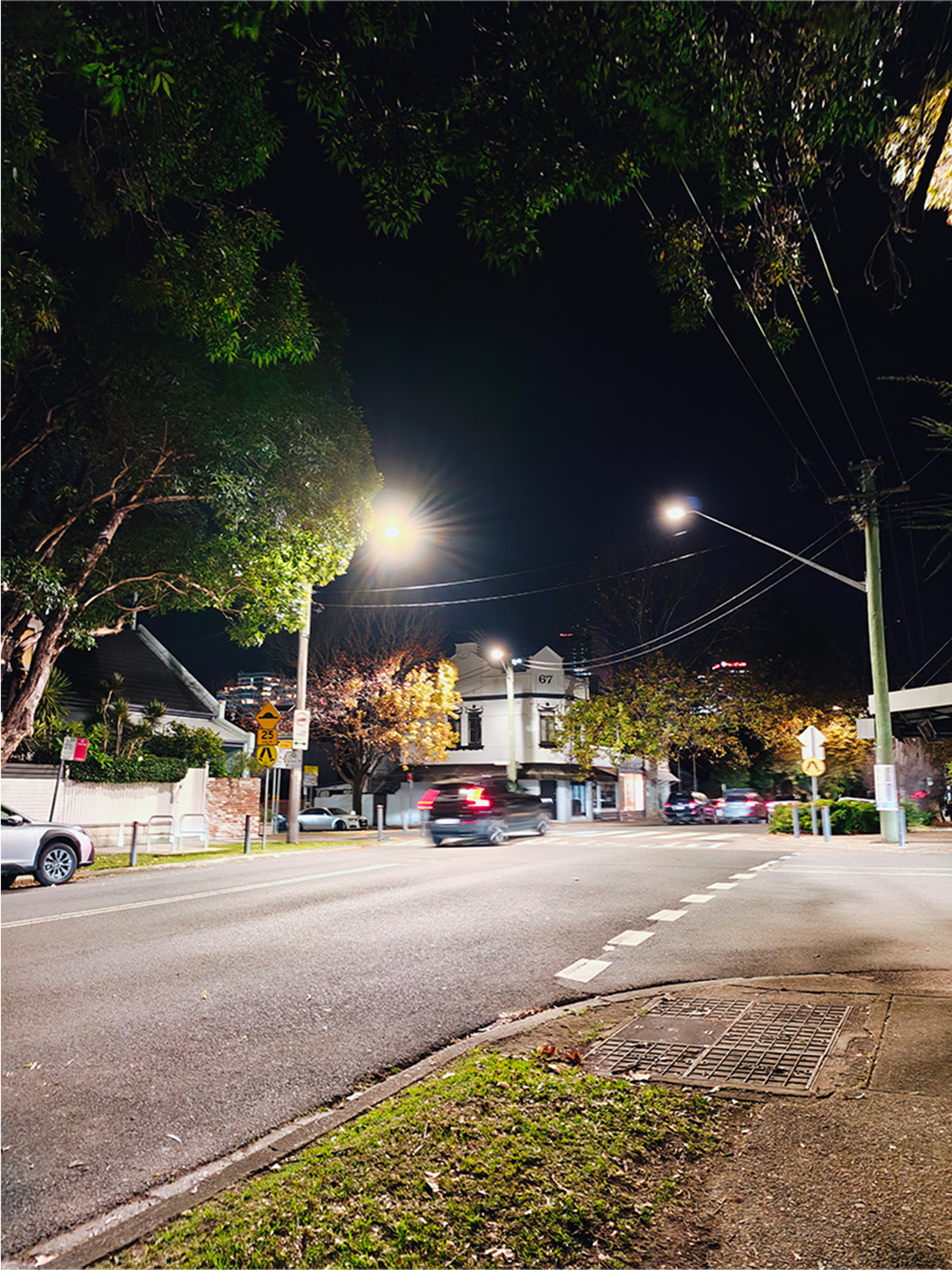

The pits and peaks of the Motorola Signature’s cameras are extreme. On one end the motion capture literally shocked me by how well it performed, but then the night mode is hardly worth using, and the zoom lens is hardly taking a photo at all. Overall I do think the general performance of the cameras outweighs the downsides, but it’s a close call.
@whistleout_au This is the Motorola Signature, and it uses generative AI for its zoom. But the rest of the camera performance makes up for it. Probably.
♬ original sound - WhistleOut Australia
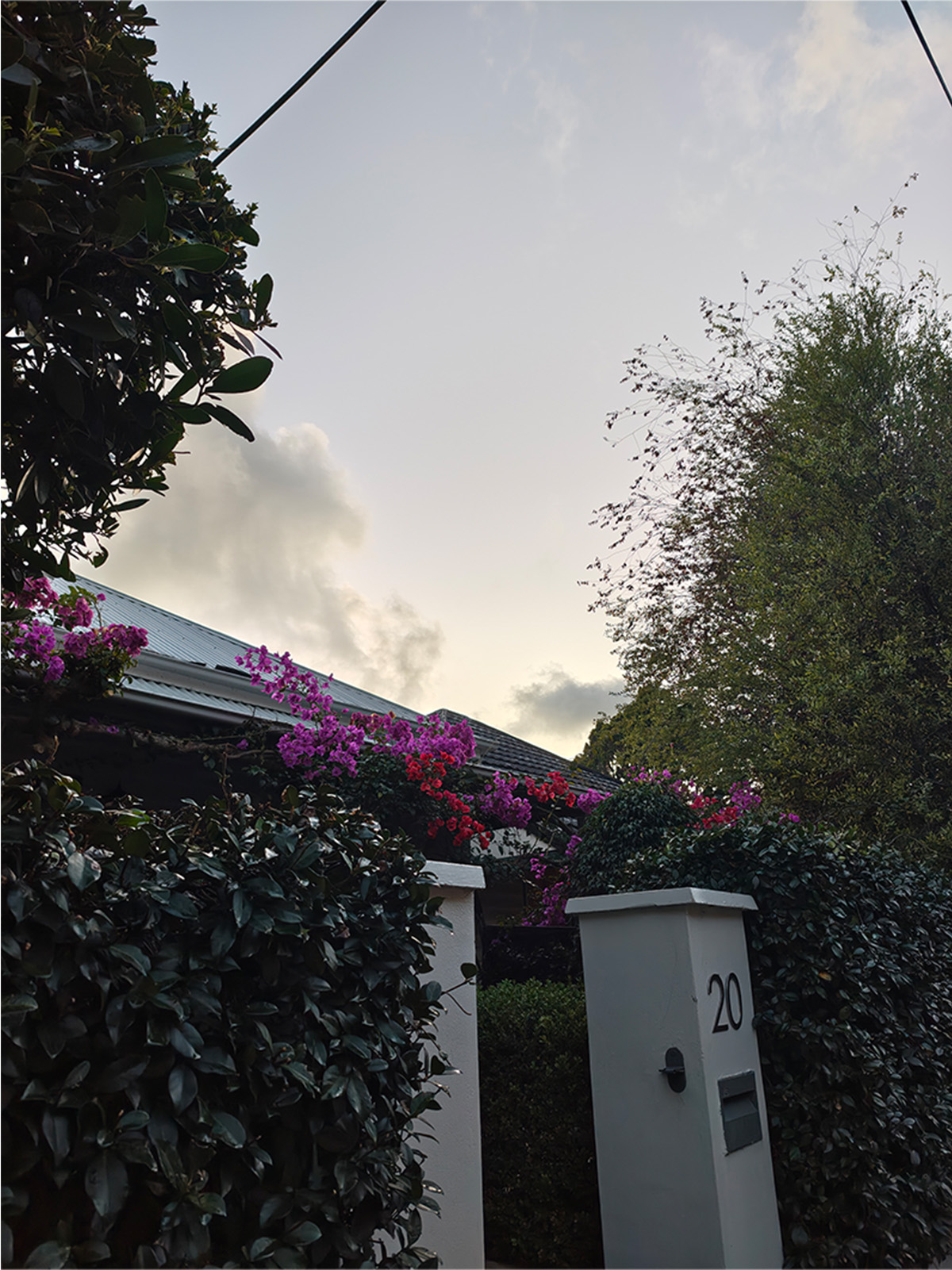
Motorola Signature camera samples
Check out these camera samples taken on the Motorola Signature. Click or tap on any photo to see a larger version.



Motorola Signature – Final Thoughts
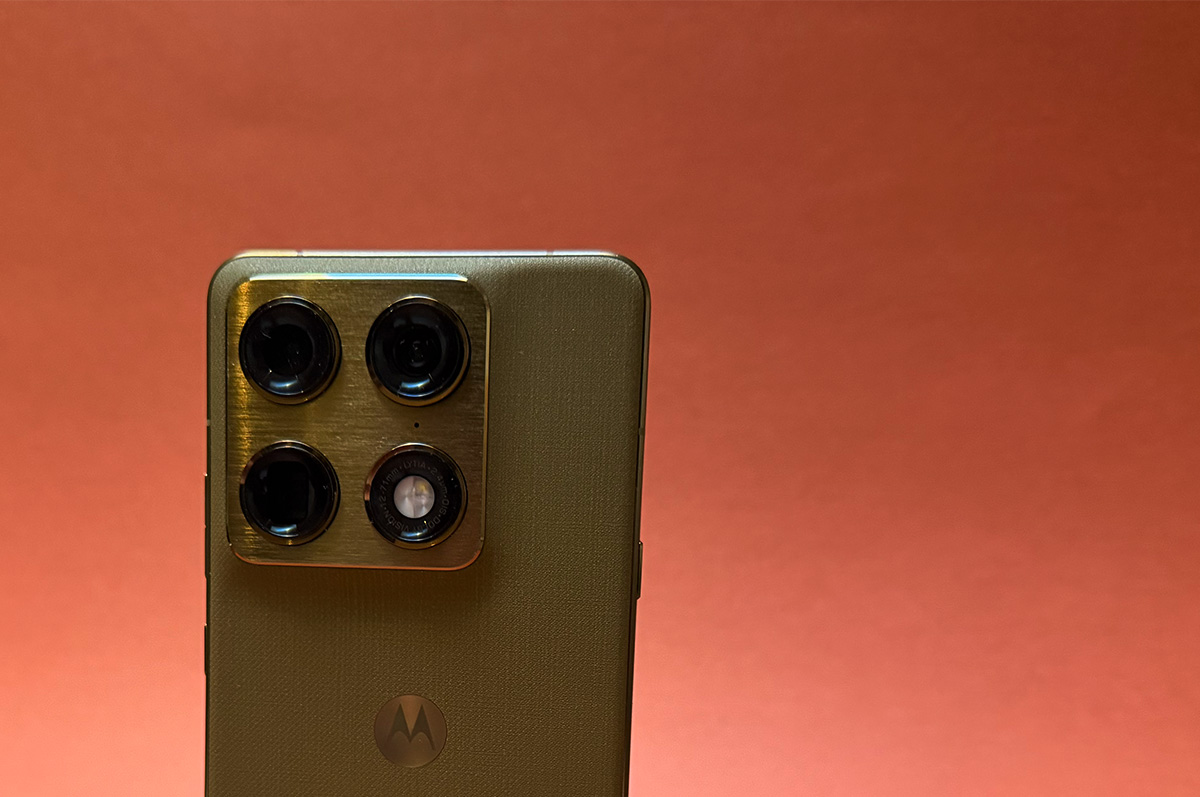
Aligning the Motorola Signature with the likes of the baseline iPhone and Samsung might be a touch too generous right now, but it is on the right path. It lacks a certain consistency you see with the two biggest players in the game, but that doesn’t make it a disappointing phone, just one that could do with a touch more refinement.
Still, there is plenty to appreciate about the device. It is absolutely beautiful, and holds some features that are usually reserved for slightly pricier models like smart pen support, and a super thin formfactor. Its cameras perform well in most settings, and there is nothing to complain about when it comes to performance and battery. In the scheme of the market Motorola’s Signature is standing in the plains, but it is positioned to climb that mountain.
Did you like this article? Good! Why not make us a preferred source in Google? Click below, tick the box, and WhistleOut stories will show up more often when you search for related content.
Anula Wiwatowska
Offsite Editorial Lead | Instagram

Related Articles


